Firefly logo
✦ Lumi Forest · v1.40.6

Firefly — Reading Journal

Your warm reading space inspired by Lumi Forest. Save books, follow your progress, collect quotes and notes, and return to your stories at your own pace.

📈
APK downloads
Direct downloads from svhgroup.com.ua Google Play is counted separately

For Android • Ad-free • Works offline • Core features are free

🎧 The voice of Firefly

Listen to a short story about Firefly

Sometimes one voice says more than a long page of text. This is a warm story about how Firefly turns reading into a personal, calm, and inspiring journey.

✨ Atmospheric 📖 About the idea behind the app 💛 For families and readers
Press Play if you want to experience the mood of Firefly, not just browse its features.
🎬 Video presentation

See Firefly in action

In just a few minutes you can see the app’s atmosphere and logic, and how Firefly makes reading visible, warm, and genuinely personal.

Your reading story — all in one place

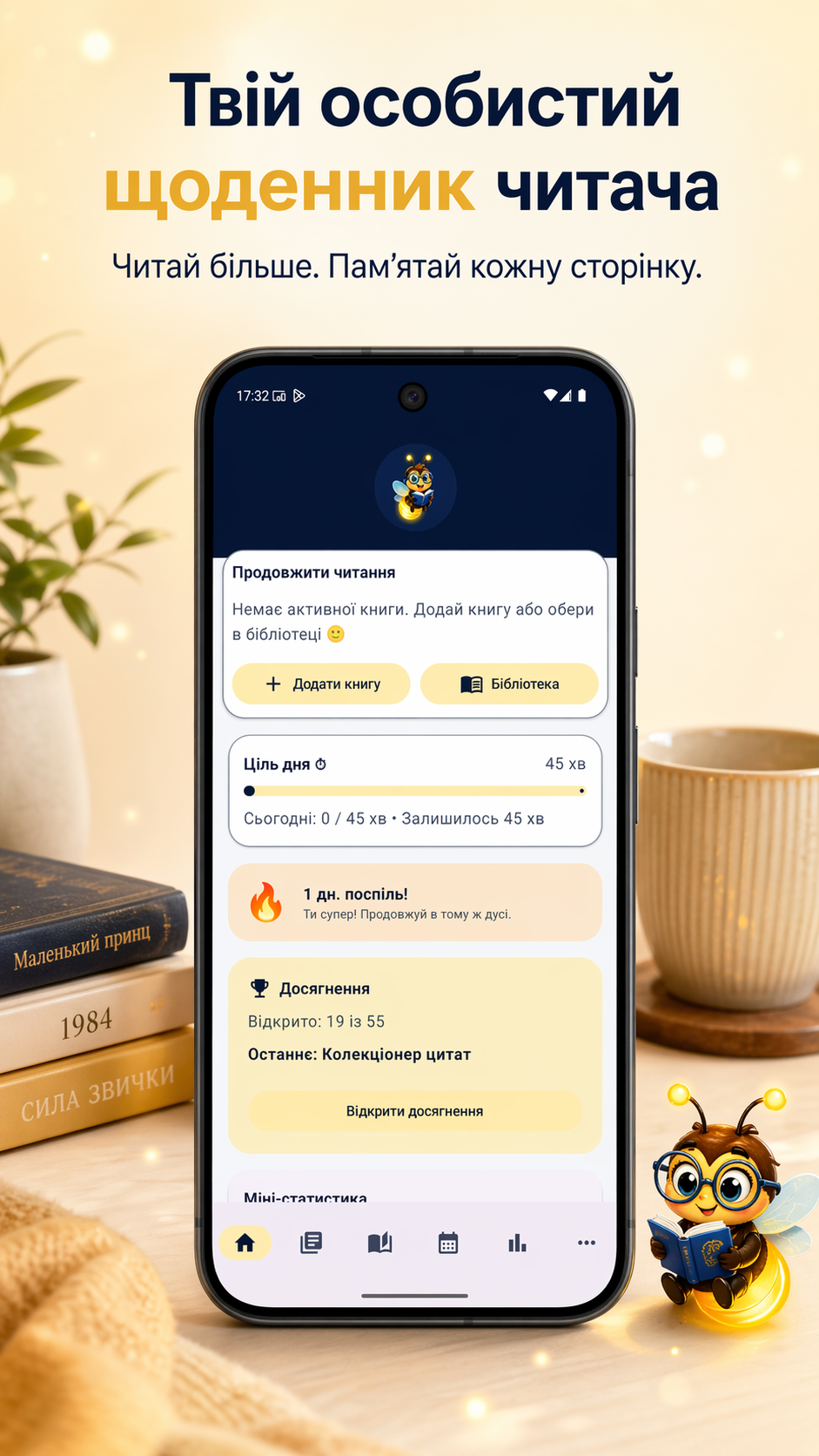
In Firefly, a book is more than a row in a list. It is your progress, quotes, notes, reading sessions, calendar history, and the exact edition on your shelf or in your digital library.

Firefly — Reading Journal helps you keep track of what you read, return to books without pressure, and see your own reading journey.
New in Firefly 1.40.6 — Firefly Share Pro

Share Pro is now a separate optional module for readers who want more ways to style, export, and share their reading. It is a one-time purchase and does not change Firefly’s core features.

Share Pro — more formats when you need them 📤

Share Pro is a separate optional one-time module. It expands Quote Studio, adds DOCX/PDF/Markdown for notes, richer statistics exports, Library CSV, and sharing for monthly and yearly summaries. Purchases can be restored, and a promo code can be redeemed when you have one.

The basics stay with everyone 💛

Basic quote sharing, Notes TXT, and the core and text-based statistics sharing options remain available without Share Pro. The new module adds more tools; it does not take away what was already there.

Calendar Pro and Share Pro stay separate

Calendar Pro is for the calendar’s extended features and customization. Share Pro is for richer sharing and export. They are two separate one-time purchases: buying one does not unlock the other, and neither is a subscription.

A clearer way to discover and buy Pro

Calendar Pro and Share Pro each have their own presentation screen, showing what is included and the current price directly from Google Play. You can buy or restore a module there, while clear messages explain a pending purchase, successful activation, restore, an error, or temporary unavailability.

No pressure and no launch paywall

You can open the modules from Premium Hub or when you reach a feature that belongs to one of them. Firefly does not show a paywall popup at launch. The home screen may only show a quiet Calendar Pro or Share Pro card, and it disappears once both modules are active. After a successful purchase, Firefly confirms access and takes you back to where you started.

Key features

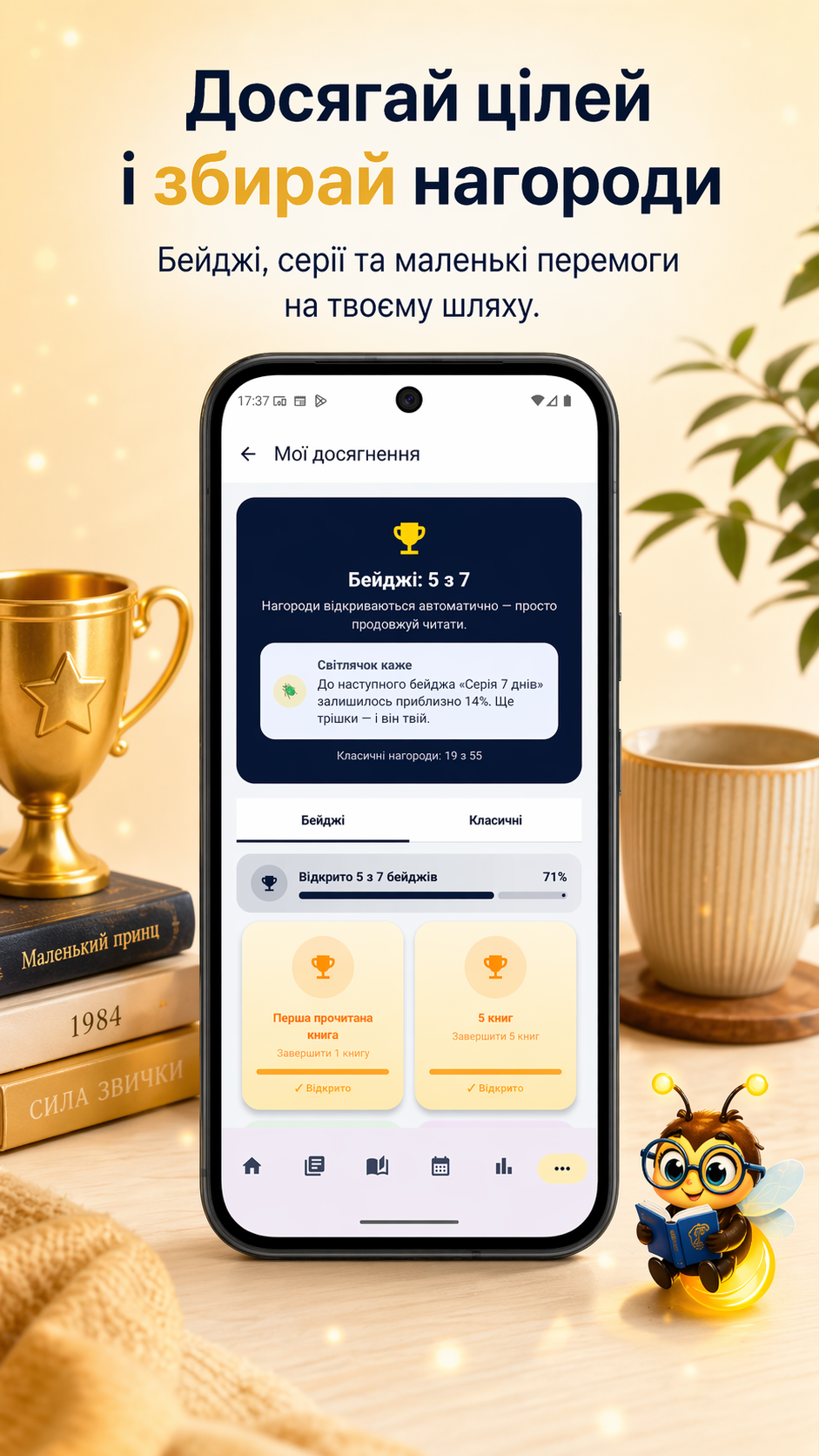
Firefly is a multilingual reading journal for Android: a personal library, book search, edition selection, reading sessions, calendar, statistics, quotes, notes, and gentle motivation without pressure.

Book search

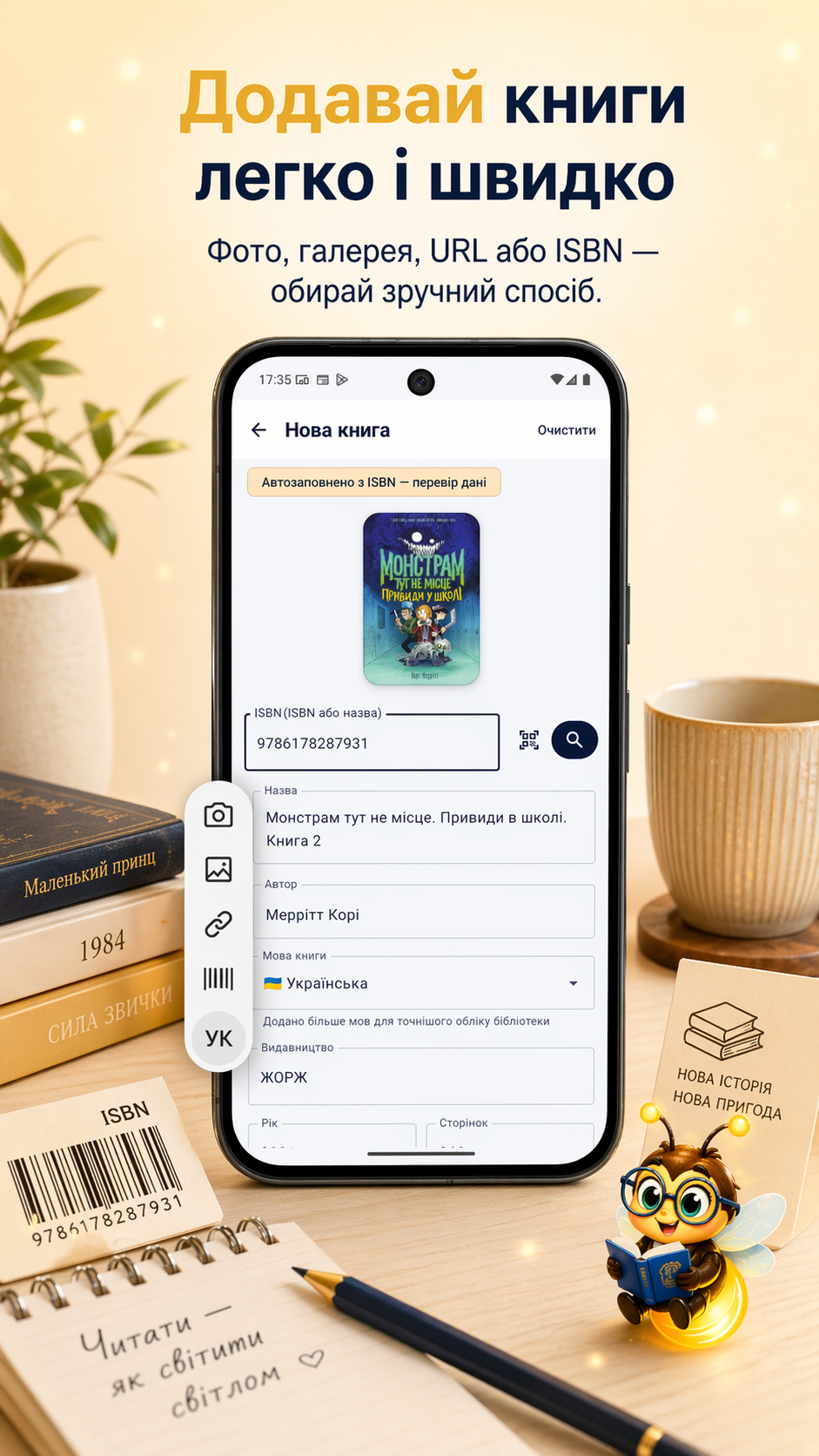
Search by title, author, ISBN-13, ISBN-10, or UDC. If an older edition has no ISBN at all, you can still add it manually.

One book — many editions

Paper or digital, a different year, ISBN, or cover — Firefly helps you choose the exact edition you are reading.

Reading formats

Track paper and digital books in pages or percentages. The foundation for flexible statistics is already in place.

Calendar and statistics

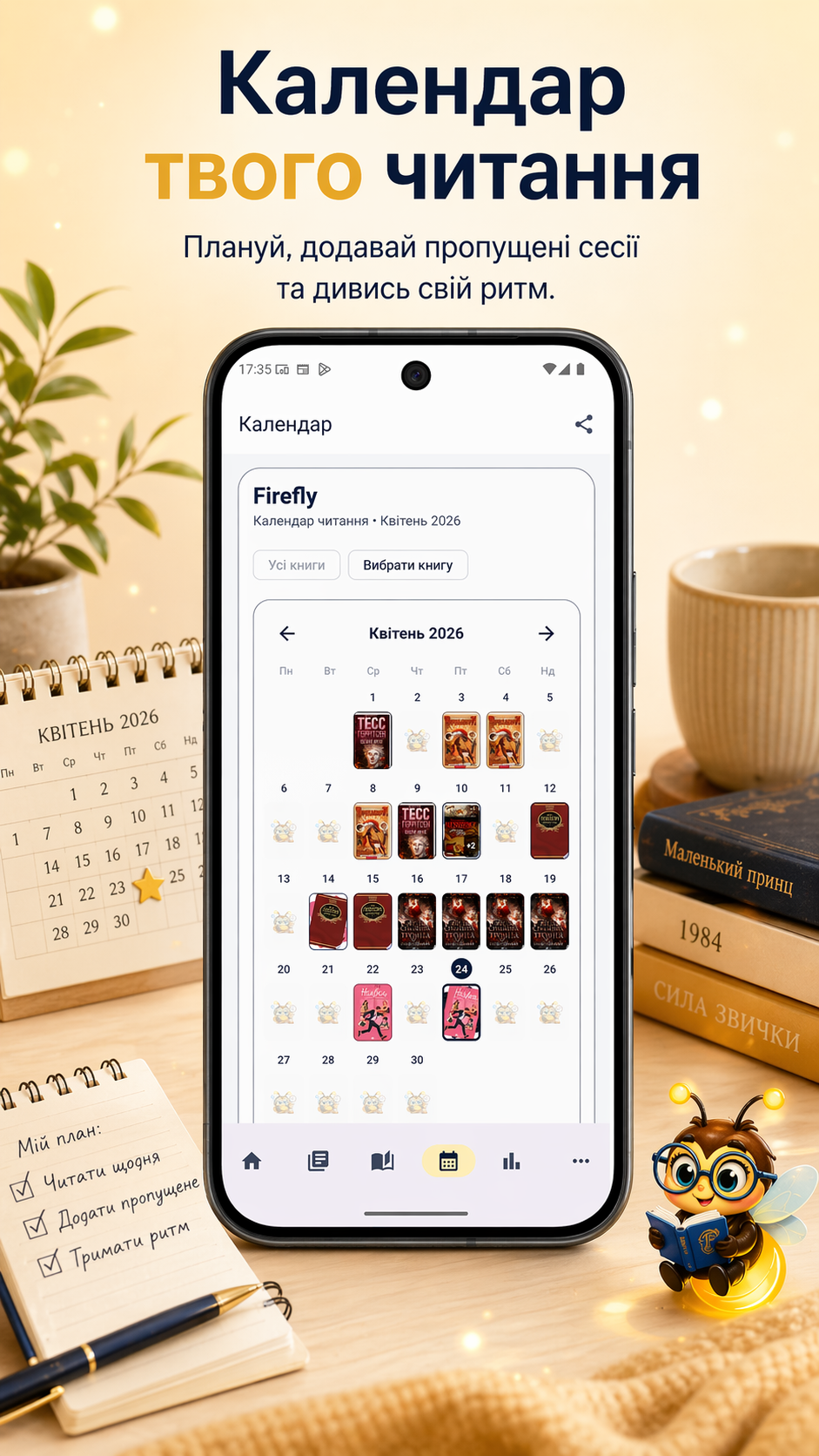
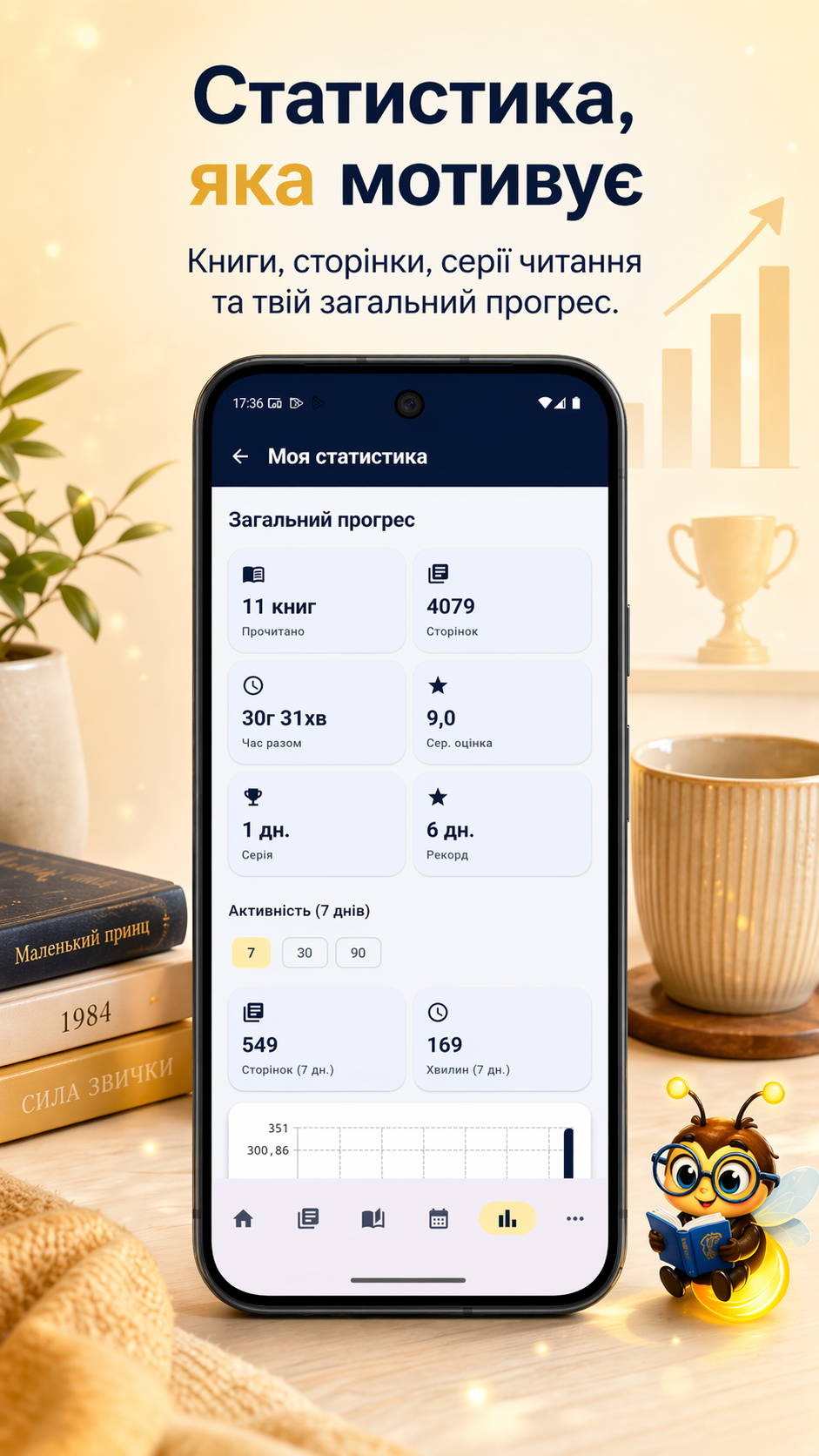
Reading days, pages, time, sessions, finished books, and monthly history help you see your real reading rhythm.

Quotes, notes, and journal

Save thoughts, quotes, impressions, and post-session notes so you can return not only to a book, but also to what it made you feel.

Privacy and backups

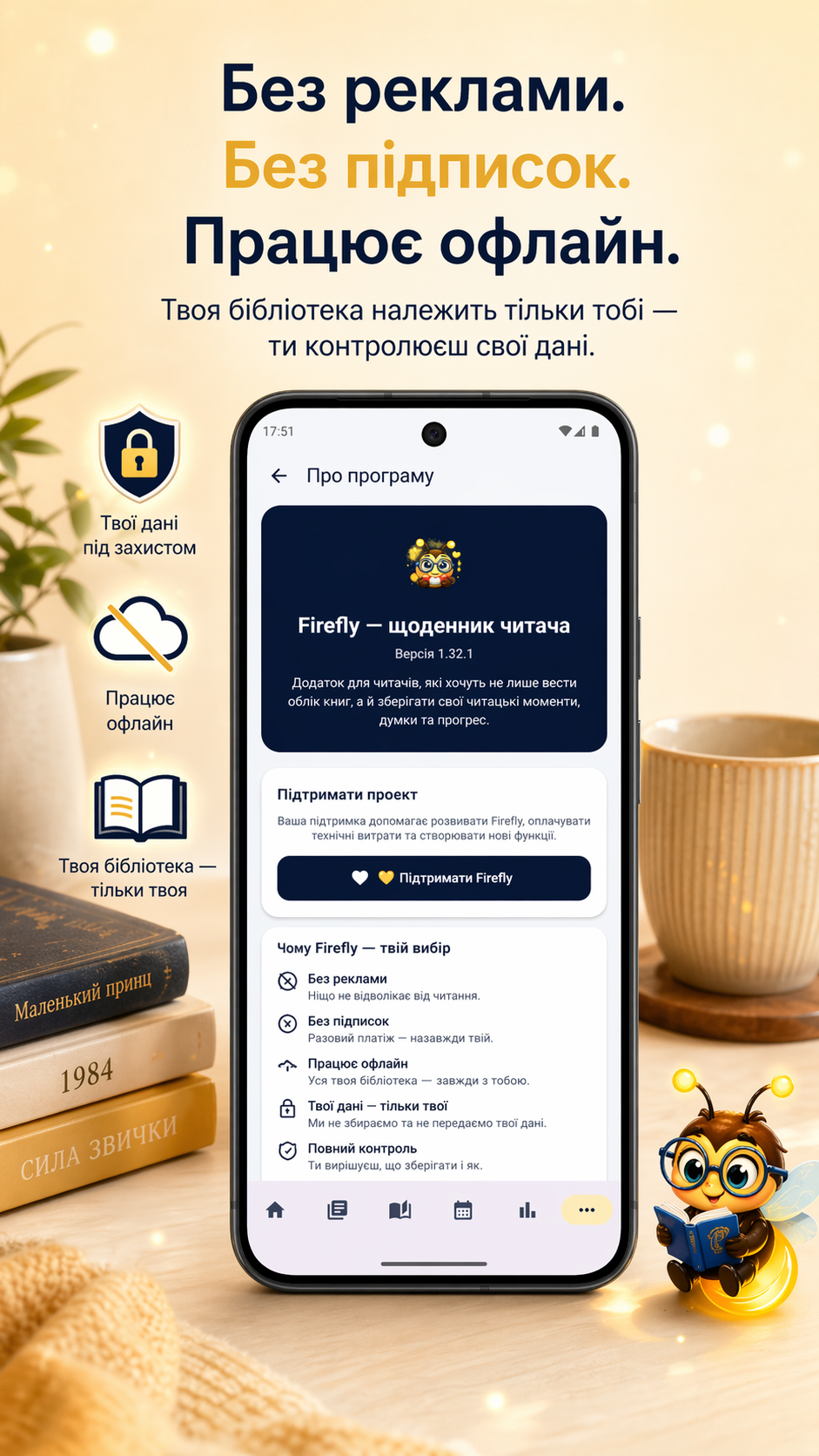
No ads. Core reading data stays on your device, and Google Drive Backup can be enabled optionally.

Calendar Pro

A separate one-time module for extended calendar features and customization.

Share Pro

A separate one-time module for richer Quote Studio tools, notes and statistics export, Library CSV, and summary sharing.

How to install the app

Firefly is available on Google Play Store — the safest and most convenient way to install it on your Android device.

1

Open Google Play Store

On your Android device, open the Google Play Store.

2

Find the app

Search for “Firefly” or use the Google Play link on this page.

3

Tap “Install”

On the app page, tap “Install”.

4

Wait, then open

When installation is complete, tap “Open” and start building your reading journal.

Why choose Firefly — Reading Journal?

🔎

Search without the noise

Firefly searches by title, author, ISBN-13, ISBN-10, or UDC and does not reject older editions simply because they have no ISBN.

📚

Works and editions

One work can have many editions. Firefly helps connect a book to the right version: format, year, page count, ISBN, and cover.

⏱️

Reading sessions

Start a timer, add missed sessions manually, record pages or percentages, and see how individual sessions become a real reading history.

📅

Calendar and statistics

The calendar shows reading days, while statistics bring time, pages, books, and progress together in clear summaries without unnecessary pressure.

🗂️

Shelves, series, and authors

Create shelves, pin important collections, change your library view, and organize books manually in your own reading space.

🛡️

Privacy

Your library belongs to you. Core data is stored locally, with no ads and no hidden collection of your reading history.

Frequently asked questions

Is Firefly — Reading Journal free?

Yes. Firefly’s core features remain free and ad-free. Calendar Pro and Share Pro are separate optional one-time modules; there is no subscription.

Does Firefly require an internet connection?

No. Core features work offline. Internet access is only needed for online book information and connected services.

What does “one book — many editions” mean?

The same work can exist as a paper book, an eBook, an older edition without ISBN, a different year, or a different cover. Firefly helps you choose the exact edition you are reading without losing progress, quotes, or notes.

Who is this reading journal for?

For readers of different ages who want to keep a reading journal, save thoughts and quotes, and see their progress.

What if an older book has no ISBN?

You can still add it manually. Enter the title, author, and any edition details you know. If the book has an ISBN-10 or UDC number, Firefly can use those too.

How is my data handled?

Your library, quotes, statistics, photos/audio, and backups are stored locally on your device. The server is used only to retrieve bibliographic metadata for books.

Is it safe to install Firefly from Google Play?

Yes. Google Play is the recommended installation method and provides Play Protect checks and automatic app updates.

Support and help

If you have a question or run into a problem, get in touch. Every message is read and support is provided as quickly as possible.

Support / Contact

Feedback, ideas, bug reports, and suggestions.

📱 Get it on Play Store 📱 Download .apk

System requirements

Quick answers to technical questions.

  • Platform: Android 8.0+
  • Internet: not required for everyday use
  • Ads: none
  • Purchases: Calendar Pro and Share Pro are separate optional one-time modules; no subscriptions
  • Data: library and notes are stored locally

Why Google Play

Why the official store is the recommended option:

  • Security: Google Play Protect checks the app for harmful behavior
  • Automatic updates: you receive new published versions automatically
  • Easy installation: a straightforward installation flow
  • Reviews and rating: you can see feedback from other users
  • Support: easy access to updates and support
  • Alternative: If your device does not support Play Store, you can download the installer here.